AI coding your security team will approve
Give every developer an AI agent, with company rules it cannot break, a full record of what it did, and one bill.
Talk to our team
Control, visibility and one bill
Company sign-in
Staff sign in with an email code or link, Google or GitHub today. SSO with SAML or OIDC is on our roadmap; tell us if you need it.
Roles
Owners, approvers and members. Owners invite people and set budgets; owners and approvers see the audit log.
Audit log
Sign-ins, linked computers, approvals, unlocks and team changes are recorded and shown to owners and approvers.
Usage per person
See how many credits each member used this month on the team page.
Budget control
A shared credit pool, a monthly budget per person, usage alerts, and one invoice.
Model choice
Auto, Best quality, Fast or Saver for every task, or connect your own AI provider key.
Give every developer an agent, keep the company's rules
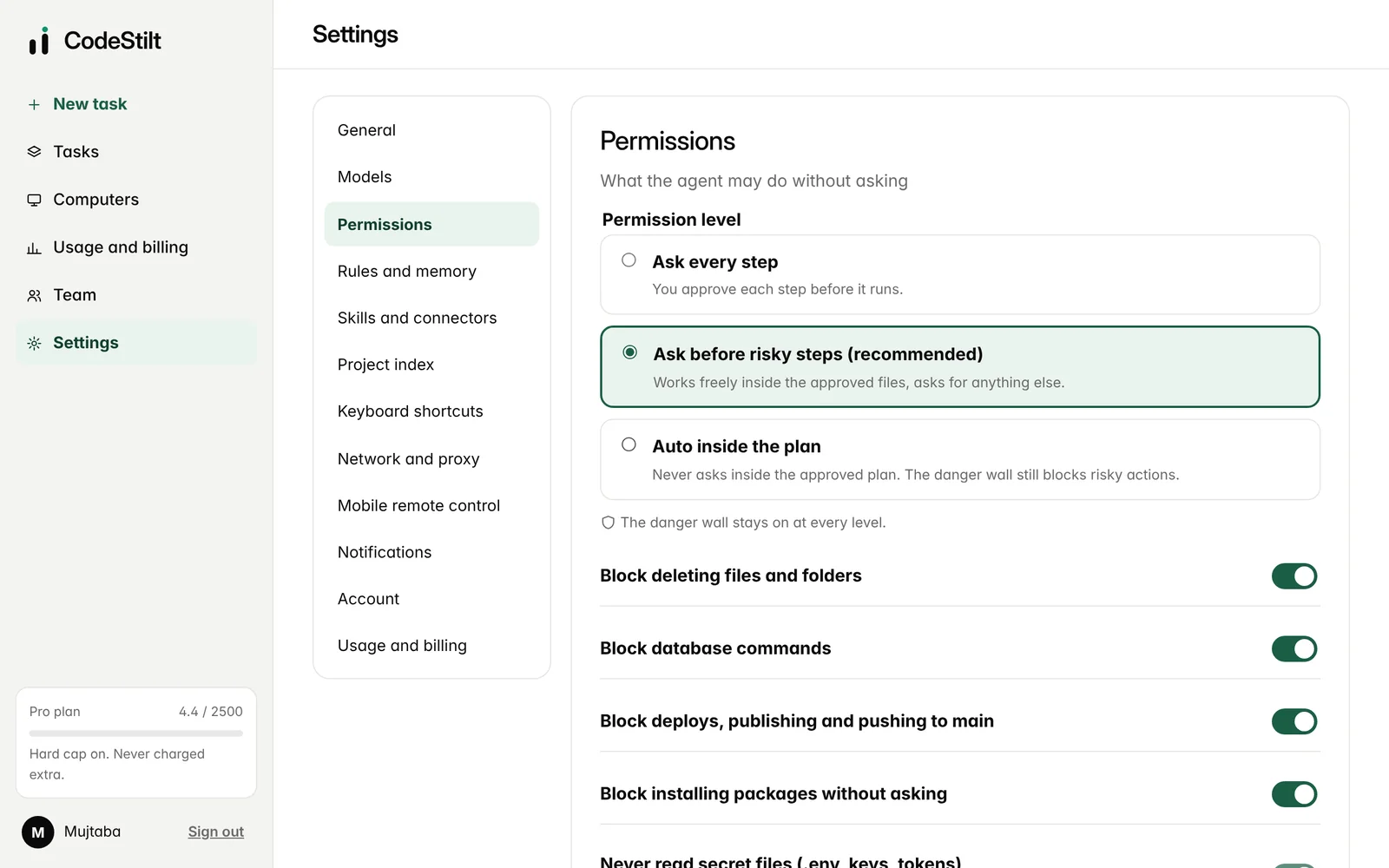
The same danger wall on every computer
Deleting files, shells, downloads and history-changing Git commands are never allowed on any linked computer. Database commands, deploys and installs ask the developer first. Secret files and folders outside the allowed list are locked off.
- Rules run in the desktop app, outside the AI
- Project rules can't switch safety off
- Every allow once is recorded
Know who did what
The audit log records sign-ins, linked and removed computers, plan approvals, danger wall unlocks and blocks, and team changes, with who did it and when. Owners and approvers can read it on the Team page.
Control the cost
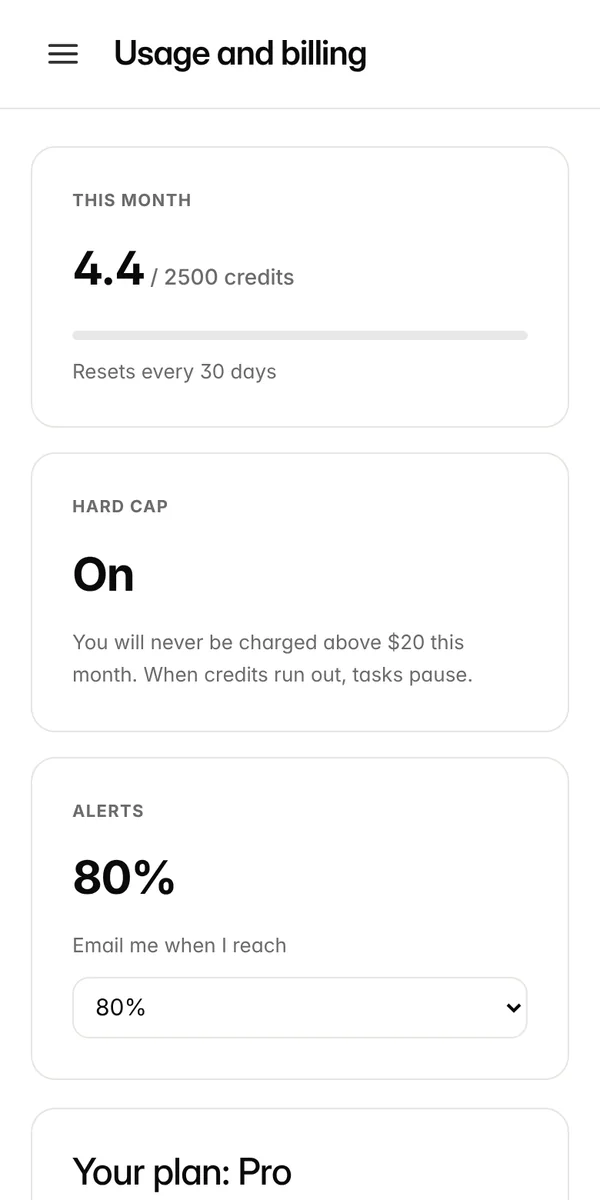
One shared pool of credits for the team, a monthly budget per person, alerts, and the same hard cap as every plan. A person's tasks pause when they reach their budget.
- 3,000 credits per paid seat each month
- 0 means no personal limit
- Bring your own AI provider key on Enterprise
What your security review will ask
| Question | Answer |
|---|---|
| Where does our source code live? | On your developers' computers. CodeStilt does not keep file contents after a task. |
| What is sent to the AI? | Only the parts of files a task needs, over HTTPS. Secret files are never read, and secrets inside normal files are replaced with markers before sending. |
| Is our code used for training? | No. |
| What can the agent run? | Only files in the approved plan are written. Commands pass the danger wall: never-allowed, ask first, or known test and build commands. |
| How do we remove a lost laptop? | Remove it on the Computers page. Its access key stops working immediately. |
| Which connections are needed? | Outbound HTTPS on port 443 to api.codestilt.com. Proxies and company certificates are supported. |
| How do staff sign in? | Email code or link, Google or GitHub. SSO with SAML or OIDC is on our roadmap. |
| Can we sign a DPA? | Yes, on Enterprise. |
How a company rollout works
- 1
Talk to us
Tell us your team size and what you want to use CodeStilt for.
- 2
Create the team
The owner creates a team and we turn on the Teams plan.
- 3
Invite people
Invites go to work email addresses and last 7 days.
- 4
Install and link
Each developer installs the desktop app and allows their project folders.
- 5
Set budgets
Owners set a monthly budget per person if needed.
- 6
Review together
We go through the audit log and usage with you after the first weeks.
Your code stays where it is
The CodeStilt agent runs on each developer's computer, inside the folders they allow. Source code is not stored on our servers. Only the parts of files a task needs are sent to the AI model, over an encrypted connection, and they are not used for training.
- The same danger wall on every linked computer
- Secret files (.env, keys, certificates) never read
- Works behind company proxies, one outgoing address to allow
- Remove a lost laptop in one click, effective within seconds
- Data processing agreement available