Desktop
Windows, macOS and Linux
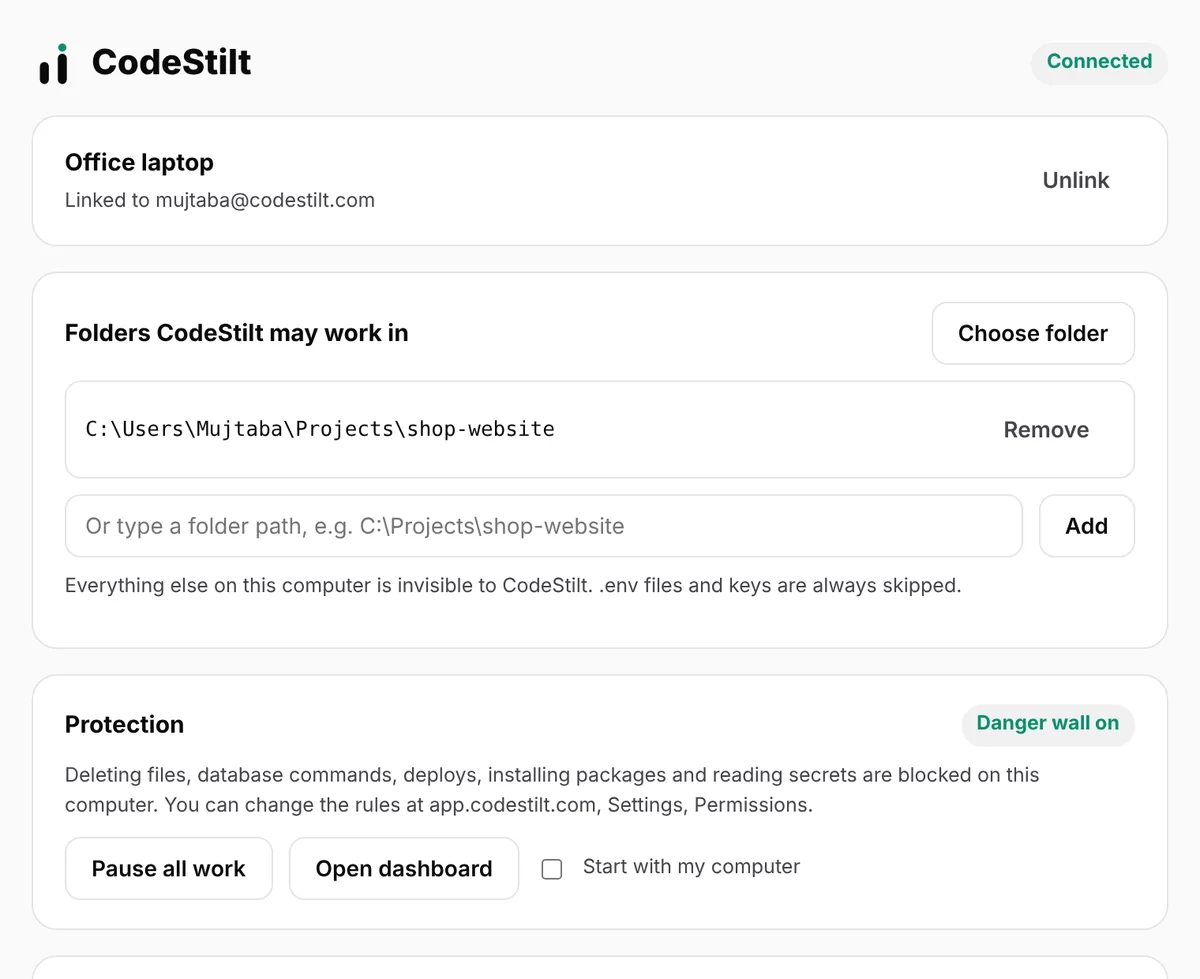
A small app that links your computer to your account. It only opens the folders you allow, keeps a checkpoint before every task, and runs the danger wall right on your machine.
Download
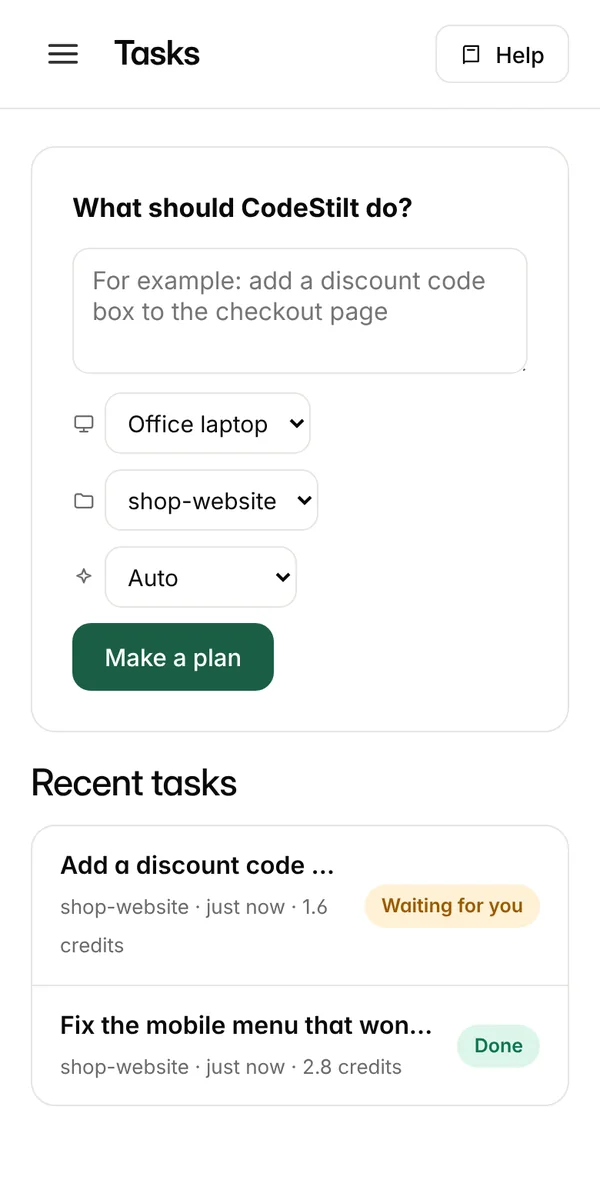
Give a task on the web or your phone.
You approve the plan. Your computer gets it done.
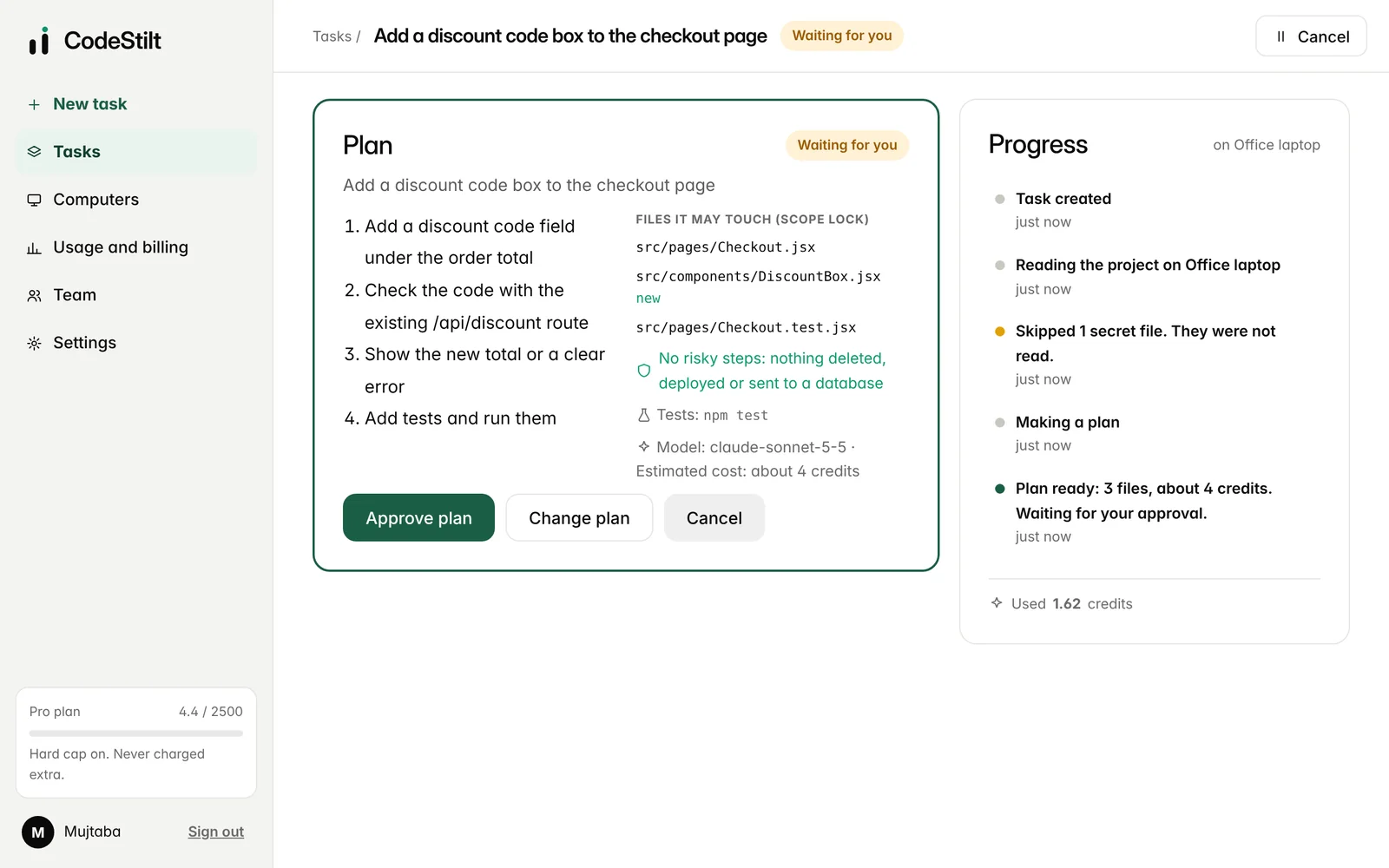
Found the checkout page and the existing discount route. Skipped 1 secret file (.env).
Done. Customers can now type a discount code at checkout and see the new total, or a clear error if the code is wrong.
src/pages/Checkout.jsx+18 -2src/components/DiscountBox.jsx+47 -1src/pages/Checkout.test.jsx+311import { useState } from "react"; 2import { checkDiscount } from "../api/discount"; 3 4export default function DiscountBox({ total, onApply }) { 5 const [code, setCode] = useState(""); 6 const [error, setError] = useState(""); 7 8 async function apply() { 9 const res = await checkDiscount(code); 10 if (!res.ok) return setError("This code is not valid"); 11 setError(""); 12 onApply(res.percent); 13 } 14 15 return ( 16 <div className="discount"> 17 <input value={code} onChange={e => setCode(e.target.value)} 18 placeholder="Discount code" /> 19 <button onClick={apply}>Apply</button> 20 {error && <p role="alert">{error}</p>} 21 </div> 22 ); 23}
One account, four ways to work. Give tasks wherever you are; the code is written on your own computer.
Every task follows the same six steps. Nothing on your computer changes before step four, and you can stop at any point.
Type it in plain words on the web, your phone or in a terminal. For example: Add a discount code box to the checkout page.
The desktop app on your computer lists the files in the folder you allowed and sends only the ones this task needs. Secret files such as .env are skipped.
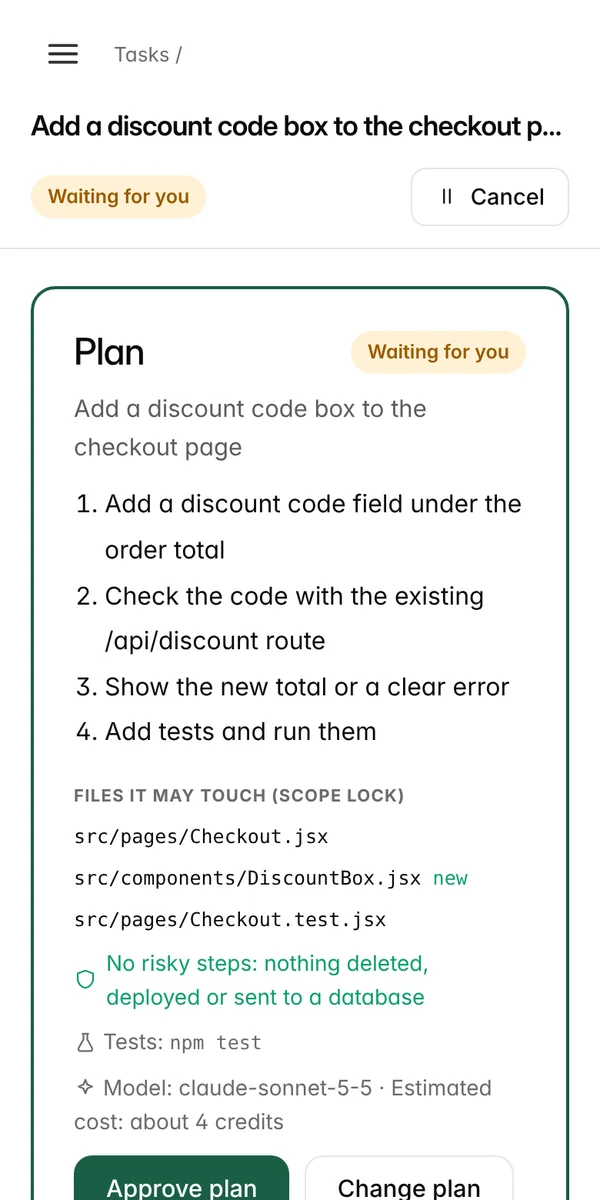
Steps in plain words, every file it may change, any risky step it expects, the test command, the model and the estimated credits.
Approve it, ask for changes in your own words, or cancel. Until you approve, nothing on your computer has changed.
A checkpoint is saved, the approved files are written, and your own tests run. If they fail, CodeStilt reads the error and fixes it, up to 3 tries.
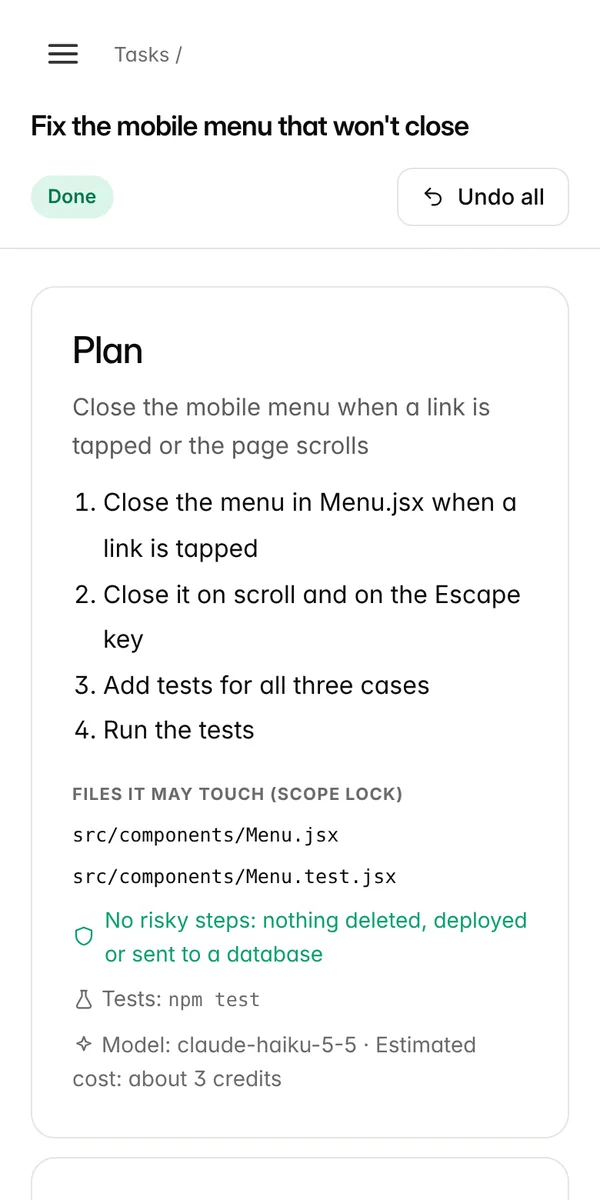
Review the changed files with lines added and removed. Keep the result, or click Undo all within 7 days to put every file back exactly.
Most AI coding tools ask you to trust them. CodeStilt shows you exactly what it will do, does only that, and lets you take it back.
Each plan lists the steps in plain words, every file it may touch (new files are marked), the risky steps it expects, the test command and the estimated credits. Ask for changes in your own words and a new plan is written.

The desktop app checks every command before it runs. It looks at what will actually run, not at what the AI says, so a risky action can't be hidden inside another command.
Before a task changes anything, the desktop app copies every file it may change into a checkpoint on your computer. Undo restores each file exactly and removes only the files that task created.

Add CodeStilt to your phone's home screen and get a notification when a plan or a danger wall question needs you. Approve, ask for changes or stop a task from anywhere while your computer does the work.

Small, clear tasks work best. Here are real kinds of tasks you can give it today.
Give every developer an AI agent, while your company decides what it may touch, what it may cost and where your code goes.
Try CodeStilt Enterprise
CodeStilt edits the files in your project and runs your project's own test command, so it works with the tools you already use.
React, Next.js, Vue, Node and Express projects. Tests with npm test, Jest or Vitest.
Django, Flask, FastAPI and scripts. Tests with pytest or python -m unittest.
Laravel and plain PHP sites. Tests with php artisan test or PHPUnit.
Services and command line tools. Tests with go test and cargo test.
.NET, Spring and Android code. Tests with dotnet test and mvn test.
Mobile app code and its widget and unit tests.
Landing pages, templates, Markdown docs and config files.
Undo uses CodeStilt's own checkpoint. If you use Git, changes show in git diff as usual.
Many people use AI for code by pasting snippets back and forth. CodeStilt does the same job on your real project, with guard rails.
| Copying code from an AI chat | CodeStilt | |
|---|---|---|
| Sees your project | Only what you paste | Reads the files a task needs, skips secrets |
| Writes the files | You copy and paste by hand | Writes the approved files for you |
| Runs your tests | You run them and paste errors back | Runs them and fixes failures, up to 3 tries |
| Shows a plan and cost first | No | Yes |
| Blocks risky commands by code | No | Yes |
| Undo the whole change | Only if you saved a copy | One click, for 7 days |
| Work from your phone | Chat only | Approve plans and run tasks on your PC |
Get answers to commonly asked questions.
Sign up with email, Google or GitHub, download the desktop app, and link your computer with a 6-character code. Then type your first task on the web or your phone. It takes about two minutes.
Your project stays on your computer. For each task, only the parts of files the task needs are sent to the AI model over an encrypted connection. Secret files such as .env and keys are never read. We don't keep your code after the task, and it is never used to train AI models.
Leading models from Anthropic, OpenAI and Google. Auto mode picks the cheapest model that can do each task well, and you can choose Best quality, Fast or Saver yourself. On Pro and higher you can also use your own API key.
CodeStilt uses credits. Every plan, including the Free plan, comes with a monthly amount of credits and a hard cap, so you are never charged more than your plan. You see the cost estimate before you approve a task, and tries that we stop after 3 failures are free. See the pricing page for every plan.
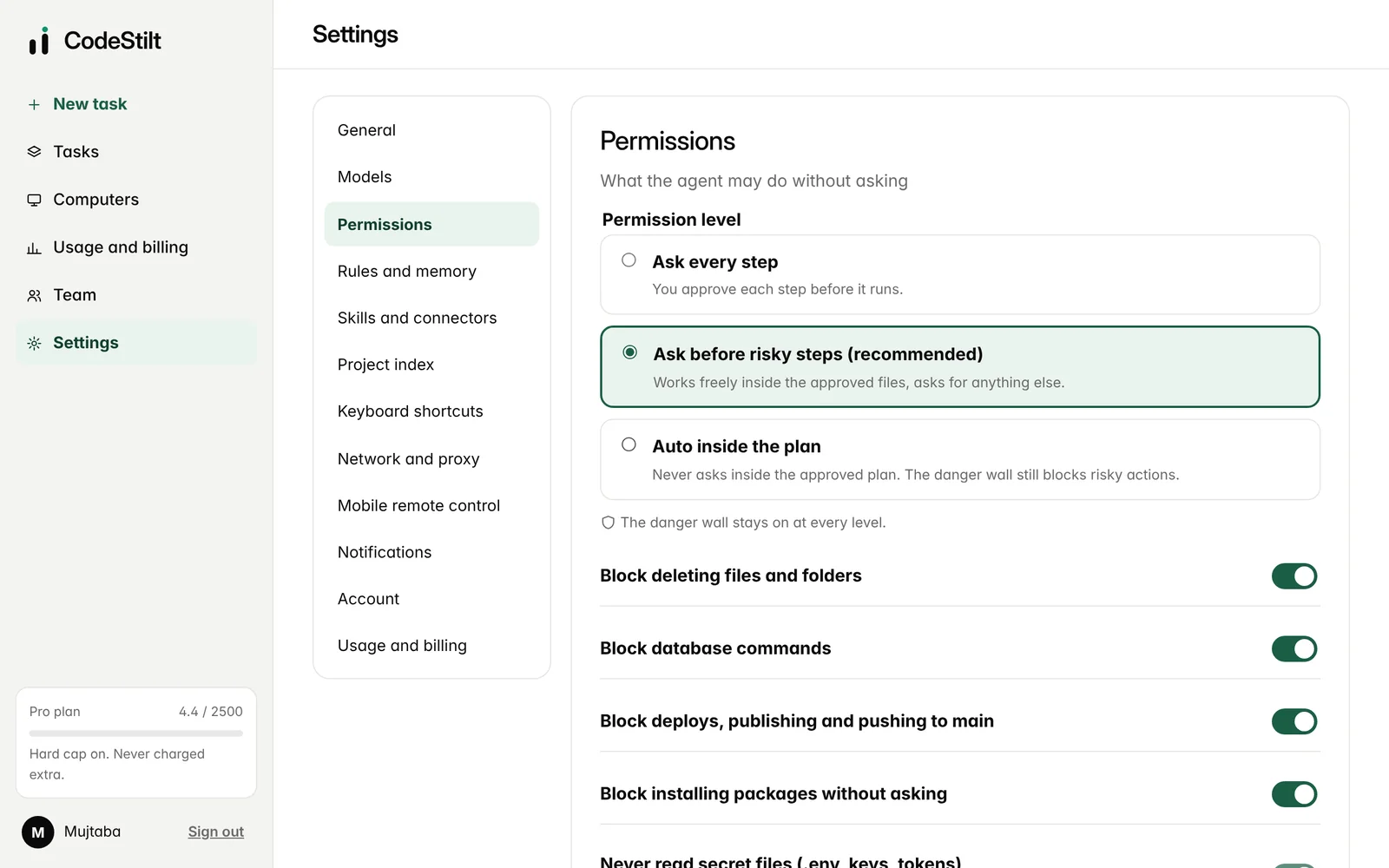
A checkpoint is saved before every task, so one click puts every file back. The agent can only change the files in the plan you approved, and the danger wall on your computer blocks deleting files, database commands, deploys and reading secrets.
Yes, the computer that holds the project must be on with the CodeStilt app running. Tasks you give while it is off wait in a queue and start when it connects again.
Any code that lives in text files: JavaScript, TypeScript, Python, PHP, Go, Java, C#, Ruby, Rust, Dart and more. Tests run with your project's own test command, such as npm test, pytest or go test.
No. Deleting or moving files with commands is never allowed, and database commands, deploys and installing packages stop and ask you first. These rules are code inside the desktop app, so the AI can't switch them off or talk its way past them.
No. CodeStilt keeps its own checkpoint for undo. If you use Git, you'll see the changes in git diff as usual. CodeStilt never pushes, resets or rewrites Git history.
Not yet. Open app.codestilt.com on your phone and add it to your home screen: it works like an app, with notifications. Store apps are planned.
Yes. Create a team, invite people by email, set roles and budgets, and read the audit log. The Teams plan is $30 per person a month with a shared pool of credits.
Read the docs at docs.codestilt.com, email support@codestilt.com, or message us on WhatsApp at +92 333 6338703. We read every message.
Download CodeStilt, link your computer, and give your first task in two minutes.